The Ultimate Campus Companion
Seamlessly navigate your academic life with FES Connect. All your essential university tools, in one powerful app.
Version 1.3.0 Update
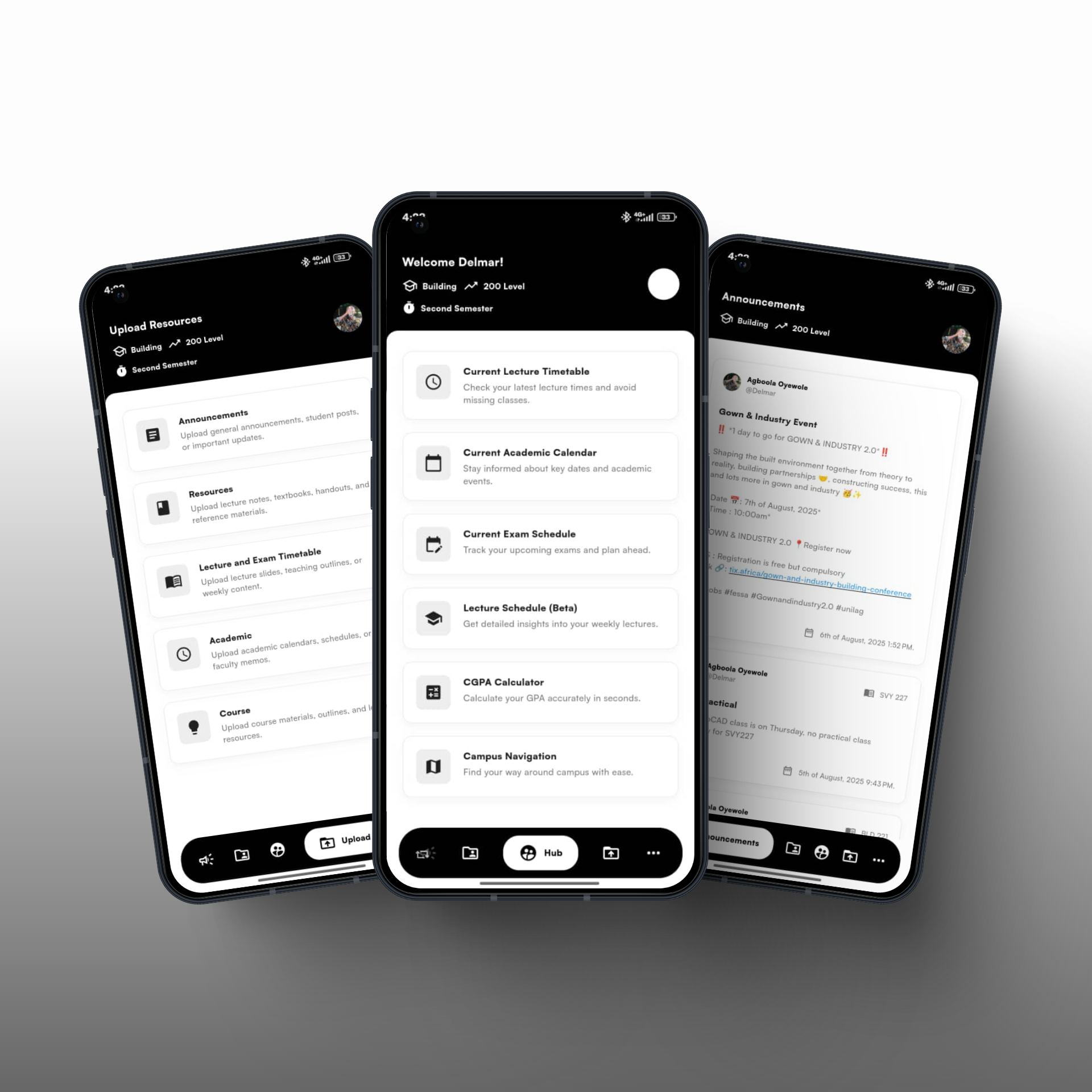
Everything you need for student life
FES Connect is designed to streamline your university experience, from academics to campus life.
Google Sign-In
Secure and easy authentication to get you started in seconds.
Campus Navigation
Find your way around campus with real-time location services.
Course Resources
Access lecture notes and materials, with Google Drive integration.
CGPA Calculator
Calculate your GPA accurately based on your semester courses.
Notices & Announcements
Stay updated with important notices relevant to your courses.
FAQ & Support
Get answers to your questions and find help when you need it.
What Our Users Say
Don't just take our word for it. Here's what students think about FES Connect Hub.
"This app is a lifesaver! Having all my course materials and the campus map in one place has made my life so much easier. The CGPA calculator is incredibly accurate too."

Okemkpa Blessing
Computer Science Student
"FES Connect has completely changed how I manage my studies. The real-time notices keep me in the loop, and I no longer have to juggle multiple websites and apps."

Adetola Adefolabora
Building Student
Frequently Asked Questions
Can I use FES Connect on iPhone?
Yes. Open FES Connect in Safari and tap “Add to Home Screen”. This installs it like a native app and is required for proper performance. FES Connect runs as a Progressive Web App (PWA).
How do I sign in?
Sign in using your Google account. This is required to access resources, announcements, uploads, and academic tools.
Can I use more than one account?
No. Each user is tied to a single Google account. To switch accounts, sign out completely and log in with another Google account.
How are announcements filtered?
Announcements are shown and sent based on your department, level, and semester. General announcements marked as “All” are visible to everyone in the selected semester.
Why am I not receiving notifications?
Ensure notifications are enabled for FES Connect on your device. Also confirm that your profile details (department, level, semester) are correctly filled.
How do I upload course materials or past questions?
Go to the Upload section, select the resource type, choose the department, level, semester, and session, then attach your file and submit.
Why can’t I find resources for some courses?
It means no one has uploaded resources for that course yet. You can help others by uploading yours.
Can I contact support?
Yes. Use the Chat Support feature to message the admin. One support agent handles all users, so response times may vary.
Ready to Simplify Your Campus Life?
Download the FES Connect app today and take control of your academic journey. It’s free, easy to use, and built for students like you.
Download Now.png)